
Efficiency is essential in construction projects. It reduces costs, optimises resource utilisation, ensures timely delivery, and maintains high standards of quality. In an industry where delays, budget overruns, and miscommunication are common, adopting tools that streamline processes is no longer optional but critical for success.
Autodesk Construction Cloud offers a comprehensive digital solution for improving construction efficiency. Developed by Autodesk, a leader in 3D design and engineering software, this platform integrates project management, collaboration, and field operations into a single cloud-based ecosystem. Leveraging Building Information Modelling (BIM), data analytics, and real-time connectivity, Autodesk Construction Cloud empowers project teams to make informed decisions, reduce errors, and improve overall workflow efficiency. Facilitating transparent communication among stakeholders, it drives higher quality outcomes and supports innovation across all project phases.
Contents
- 1 The Increasing Need for Digital Efficiency in Construction
- 2 Understanding Autodesk Construction Cloud
- 3 Key Features of Autodesk Construction Cloud
- 4 Benefits of Utilising Autodesk Construction Cloud
- 5 How to Implement Autodesk Construction Cloud in Your Projects
- 6 Conclusion
- 7 Autodesk Construction Cloud FAQs
The Increasing Need for Digital Efficiency in Construction
Traditional construction processes face numerous obstacles, including labour shortages, unforeseen weather delays, complex supply chains, and regulatory challenges. These inefficiencies can lead to cost escalation, slower project timelines, and compromised quality.
Digital tools have transformed construction efficiency by enabling real-time communication, automated workflows, and centralised data access. Solutions like Autodesk Construction Cloud integrate these capabilities, allowing teams to plan, coordinate, and monitor projects effectively. This ensures better resource management, mitigates risks, and fosters collaboration across multiple stakeholders. By adopting such platforms, construction professionals can reduce waste, optimise schedules, and deliver projects that meet or exceed expectations.
Understanding Autodesk Construction Cloud
Autodesk Construction Cloud is an integrated platform that combines project management, design collaboration, and field operations. Its suite of tools supports planning, documentation, quality control, and cost management in a centralised environment. Teams can access real-time project data from anywhere, improving decision-making and facilitating seamless communication across offices, sites, and subcontractors.
The platform encompasses multiple software solutions, including tools for preconstruction planning, BIM coordination, and project analytics. Each feature is designed to enhance efficiency, reduce duplication of effort, and enable innovation in problem-solving. By connecting stakeholders through a single source of truth, Autodesk Construction Cloud ensures accountability, reduces errors, and supports consistent project delivery.
Key Features of Autodesk Construction Cloud
Autodesk Construction Cloud offers features that significantly enhance project management and collaboration. These include cloud-based data storage, real-time document sharing, automated workflow tracking, and analytics dashboards. Users can monitor project progress, identify potential risks, and coordinate tasks efficiently across teams.
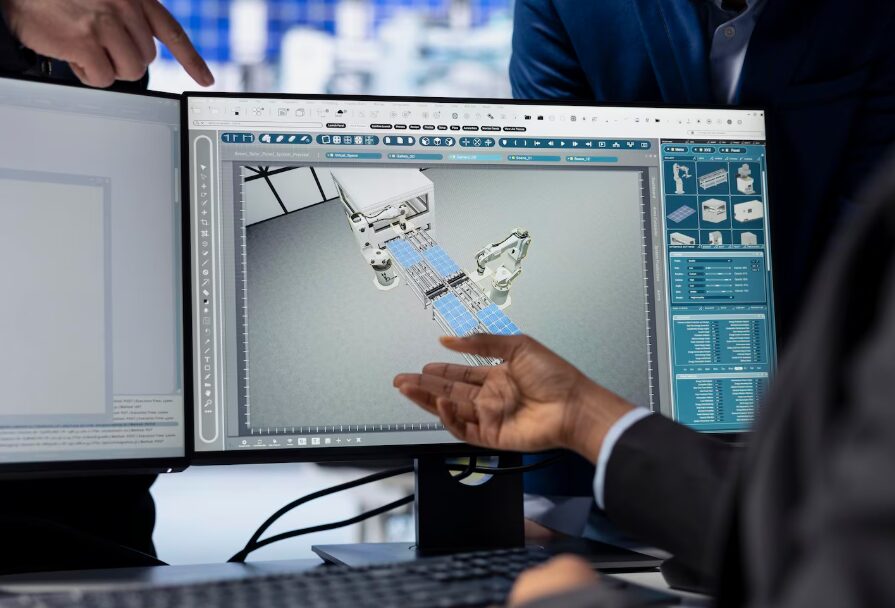
In practical terms, these features simplify on-site coordination, improve design review processes, and enable faster issue resolution. For example, BIM integration allows teams to visualise project models in real time, detect clashes, and implement solutions before construction begins. Cloud accessibility ensures that updates are immediately available to all stakeholders, reducing delays caused by miscommunication or outdated information.
These tools collectively contribute to higher productivity, smoother workflows, and more accurate project execution. By providing actionable insights and streamlining operations, Autodesk Construction Cloud helps teams deliver projects on schedule while maintaining strict quality standards.
Benefits of Utilising Autodesk Construction Cloud
The benefits of Autodesk Construction Cloud extend across cost savings, enhanced collaboration, improved quality control, and accelerated project delivery. Centralising project information reduces administrative overhead and mitigates risks associated with miscommunication. Teams can coordinate more effectively, make faster decisions, and maintain transparency throughout the project lifecycle.
Case studies demonstrate measurable advantages. Projects using Autodesk Construction Cloud have reported reduced rework, shorter project timelines, and improved safety outcomes. By providing real-time insights, the platform allows managers to optimise resource allocation and ensure compliance with project specifications.
Investing in Autodesk Construction Cloud also offers a significant return on investment. Reduced delays, better project visibility, and enhanced team efficiency translate into cost savings and improved profitability over time. Businesses benefit from streamlined operations, faster turnaround times, and stronger client satisfaction, positioning them for sustained success in a competitive industry.
How to Implement Autodesk Construction Cloud in Your Projects
To adopt Autodesk Construction Cloud, begin by creating an account and configuring projects. Assign roles to team members and ensure they understand the platform’s tools. Utilising modules for planning, document management, and field coordination allows teams to centralise operations and track progress effectively.
Training and ongoing support are essential for successful implementation. Providing tutorials, workshops, and dedicated assistance helps teams become proficient in using the software. Maximising usage requires integrating the platform into daily workflows, regularly monitoring performance metrics, and encouraging collaboration through its communication tools. Customising dashboards and notifications ensures that project-specific goals are met efficiently.

Conclusion
Autodesk Construction Cloud represents a transformative solution for the construction industry. By integrating collaboration, project management, and field operations into a unified platform, it enhances efficiency, reduces errors, and promotes innovation. Businesses that adopt this technology can streamline workflows, optimise resources, and deliver high-quality projects on time. With its comprehensive suite of tools, Autodesk Construction Cloud empowers teams to work smarter, communicate effectively, and achieve measurable improvements in project performance, making it an indispensable asset for modern construction management.
Autodesk Construction Cloud FAQs
What is Autodesk Construction Cloud?
Autodesk Construction Cloud is a digital platform designed to manage construction projects efficiently by integrating collaboration, project management, and field operations in real time.
Is BIM 360 the same as Autodesk Construction Cloud?
BIM 360 is part of the Autodesk Construction Cloud suite. While they share functionalities, Autodesk Construction Cloud offers additional tools for project management and enhanced collaboration.
Is Autodesk Construction Cloud similar to Procore?
Both platforms provide construction management solutions, but Autodesk Construction Cloud integrates closely with Autodesk design software, whereas Procore focuses on user-friendly interfaces and broader resource management.
Is Autodesk Construction Cloud easy to learn?
Yes, the platform is generally user-friendly. Tutorials, training resources, and intuitive interfaces make adoption straightforward for construction professionals.

Zack Hart
Hey there! I’m Zack Hart, the pun-dedicated brain behind PunsClick.
Based in Alaska, I built this site for everyone who believes a well-placed pun can brighten a dull day.
Whether you’re into clever wordplay or cringe-worthy dad jokes, you’ll find your fix here. We’re all about bringing the world closer — one pun at a time.