

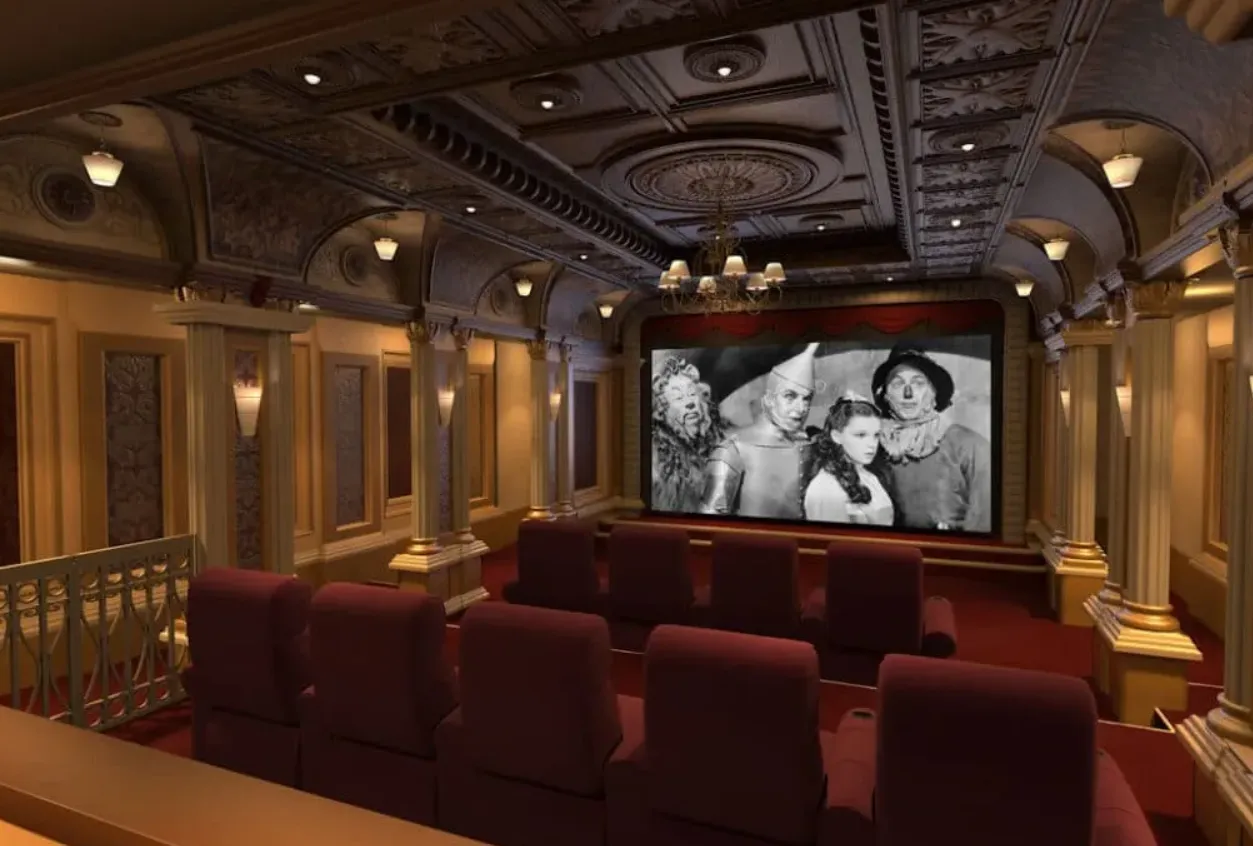
Watching a movie in a cinema can be fun, but the constant increase in ticket prices has made this difficult for Hispanic families. I mean, 23 dollars for a single ticket? Talk about a rip-off!
That being said, there’s some good news too! You can replicate the cinema experience at home in a few simple and budget-friendly steps. And in this article, I’m going to share them with you. I should warn you, for this article, I’m assuming you have a TV.
Using these steps, you can save yourself from the long lines at every new release, only to be bombarded with a heavy price tag on your turn. Oh, and how can I forget the kids who feel some sort of divine comfort in kicking your seat!
Let’s begin!
Contents
Pick a Room
You’ll need to finalize the room you want to build in before anything else, and to do that, you’ll have to ask yourself whether you need a dedicated cinema room or a multi-purpose entertainment room. Even I didn’t really know the difference at first, but there are many; let me explain.
- Home Cinema or Home Theater: a home cinema aims to pretty much match an actual cinema experience to a T, except for, of course, the kids running through you and the people talking through the whole movie! You’ll have to arrange comfortable seats, lighting and sound systems, and a large screen.
- Media Room: Much more flexible and versatile than a home cinema. You can create it in your living room and enjoy a lot of different family activities here, like gaming, movies, and more. No extensive setup needed either, just a couple of seating arrangements, a TV, speakers, and you’re good to go.
To choose between these, think about the different needs of your family. If only one of you is fond of the cinema experience, it might not make much sense to invest so heavily in it, but if all of you decide on it, then go for it.
You’ll also have to consider the shape of your room. You might want to avoid a square room as it won’t allow you to fit your equipment and maintain a safe distance from the screen.
Choose your Content Source
Whether you choose to go for a home cinema or a multifunctional media room, you’ll need a streaming service or some tangible hardware (like a disc) to access the content you plan on watching. Let’s take a look at both.
If you choose a streaming service, your best choices are Netflix, Disney Plus, and HBO Max. They’re much more convenient and can be set up while enjoying chips on your couch. That being said, you’ll also need a fast and reliable internet connection for an uninterrupted streaming experience.
P.S. I personally use Spectrum because of its speed and stability. They also offer bilingual assistance so you can reach out to Spectrum Servicio al Cliente en Español as well to get a plan.
If you choose to go for a hard form of content, like a disc, the plus point is that you own the content forever and don’t have to worry about it being removed. Also, the content can keep streaming even if your internet connection faces issues.
Set the Lighting
Lighting plays a huge role in improving or damaging the picture quality, regardless of whether you go for a full-on home theater or a multifunctional media room. Ideally, you will want to choose a room that doesn’t have too many windows, but if that’s out of the question, install some blinds over them to prevent external lights from entering.
The second thing you might want to consider is installing some smart dimmable lights. These can be integrated with and controlled using smart speakers, allowing you to adjust lighting for a better experience while you watch. The Philips Hue smart lighting system is a decent option if you’re looking for one.
Set a Sound System
Sound is responsible for adding a realistic and immersive feeling to your streaming experience. The best part is that whether you choose to create a media room or a home cinema, you have some great options to improve sound for both.
Your first option is a soundbar, which is basically a system that bounces sound around your room, creating a more immersive experience. It’s easier to set up and less expensive compared to your next option, a full-on surround sound system.
When choosing a surround sound system, you’ll probably see the numbers 5.1 and 7.1 mentioned. The 5 and 7 represent the number of speakers, and the 1 represents the number of subwoofers in the system. A 7.1 has 2 front speakers, 1 center speaker, 4 satellite speakers, and 1 subwoofer. You can choose depending on the level of immersion and realism you prefer.
Home Cinema – Amping Up Quality Entertainment, Toning Down the Noise
Whether you go for a multi-purpose media room or an extensive cinema, both can match the ambiance, sound quality, and maybe even picture quality of an actual cinema, without all the noise.
You can catch new releases on both streaming platforms, and if that’s not enough, you can also get physical copies of movies or TV shows released by other private networks. Do those even exist anymore?
Before you make a choice, take a little time to identify your and your family’s needs, lifestyle, and streaming habits, and choose the setup that balances cost, convenience, and quality.

Zack Hart
Hey there! I’m Zack Hart, the pun-dedicated brain behind PunsClick.
Based in Alaska, I built this site for everyone who believes a well-placed pun can brighten a dull day.
Whether you’re into clever wordplay or cringe-worthy dad jokes, you’ll find your fix here. We’re all about bringing the world closer — one pun at a time.