
So, you’re ready to create your own spot on the web. That’s awesome! One of the first and most exciting steps is choosing and buying a domain name. This is your unique address on the internet, the place people will go to find your business, blog, or portfolio. It’s a big deal, but getting it right is way easier than you might think. This guide will walk you through everything you need to know, from picking a great name to making it officially yours.
What is a Domain Name, Really?
Let’s start with the basics. Think of a domain name as the address for your house online. Just like you’d tell a friend your street address to have them visit, you give people your domain name so they can visit your website. It’s what they type into the browser, like yourbusiness.com. It’s made of two main parts: the name itself (yourbusiness) and the extension (.com). When you’re ready to secure your website, you can purchase domain through a reliable registrar to make your online address officially yours.
While your website is built with files and code stored on a server, the domain name is the friendly, memorable name that points people to that server. No one wants to memorize a long string of numbers (an IP address), so domain names were created to make navigating the internet simple and intuitive.
Choosing a Domain Name That Clicks
Your domain name is a huge part of your brand identity. A great one is easy to remember, simple to type, and gives people an idea of what you’re all about. Here are some tips to help you brainstorm the perfect name.
Keep It Short and Sweet
The best domain names are often the shortest. They are easier for people to remember and type without making mistakes. Think about major brands like google.com or apple.com. They’re concise and stick in your mind. Aim for a name that rolls off the tongue.
Make It Easy to Spell and Say
Avoid using slang, made-up spellings, or hyphens if you can. If you have to spell out your domain name for someone over the phone, it should be obvious how to type it. Complicated names can lead to lost traffic because people might misspell them and land on the wrong site, or no site at all.
Think About Your Brand
Your domain name should reflect your business or personal brand. If you’re a photographer named Jane Smith, janesmithphotography.com is a clear and professional choice. If you run a dog-walking business called Happy Paws, happypaws.com is perfect. If your first choice is taken, you can get creative by adding a relevant word, like happypawswalking.com.
Use Keywords if It Makes Sense
Including a keyword related to your business can help with search engines and tell visitors exactly what you do. For example, if you’re a plumber in Boston, a name like bostonplumbingservices.com is descriptive and effective. Just make sure it doesn’t make the name too long or clunky.
Avoid Numbers and Hyphens
Numbers and hyphens can be confusing. People might not know whether to spell out the number (one) or use the digit (1). Hyphens are often forgotten and can make the name harder to share verbally. Sticking to just letters is usually the safest bet.
Understanding Domain Extensions (TLDs)
The letters after the dot in your domain name are the extension, or Top-Level Domain (TLD). The one you’ve probably seen the most is .com, but there are hundreds of options available today.
- .com: This is the most popular and recognized TLD. If you can get a .com version of your desired name, it’s usually the best choice. It carries a sense of authority and is what most people will automatically type.
- .net: Originally intended for network-related businesses, .net is now a common alternative to .com.
- .org: This extension is typically used by non-profit organizations, but it’s open for anyone to register.
- Country-Specific TLDs: Extensions like .co.uk (United Kingdom) or .ca (Canada) are great if your audience is primarily in a specific country.
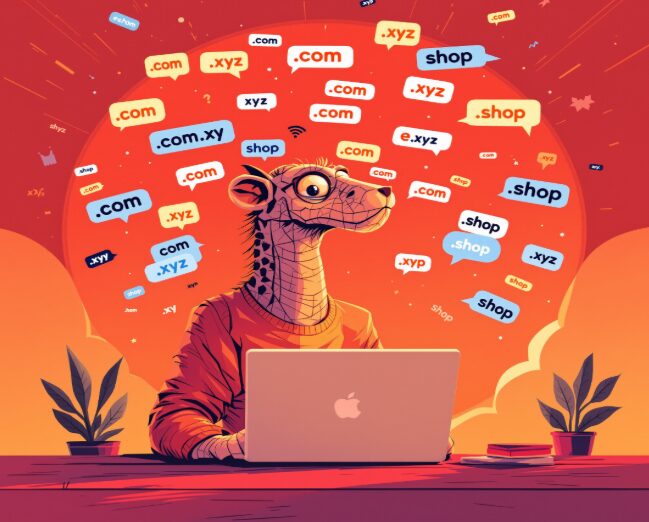
- Creative TLDs: In recent years, a ton of new, creative TLDs have become available. You can now find extensions like .blog, .shop, .photo, .app, and more. These can be a fun way to get a unique name and tell people what your site is about. For example, marias.kitchen or davids.art can be very memorable.
While creative TLDs are a good option if your .com is taken, the .com is still the gold standard. If you do go with an alternative, just make sure it’s easy to remember and fits your brand.
The All-in-One Solution: Web Builders and Domains
Now, where do you actually buy a domain name? You can go to a company that specializes only in domain registration, known as a domain registrar. Or, you can get everything you need in one place with a website builder. This has become an incredibly popular option because it simplifies the entire process.
Platforms like Wix act as both a website builder and a domain registrar. This means you can find your perfect domain name, register it, and start building your website all under one roof. There’s no need to juggle multiple accounts or figure out how to connect your domain to your website it’s all handled for you.
Many website builders offer a free domain name for the first year when you sign up for a yearly plan. This is a great perk that saves you money and makes getting started even easier. Managing everything from a single dashboard-your website, your domain, and even custom email addresses, is incredibly convenient and puts you in complete control.
How to Buy Your Domain: A Step-by-Step Process
Ready to make it official? Here’s how the process generally works, whether you’re using a dedicated registrar or an all-in-one platform.
Step 1: Search for Your Domain Name
The first step is to see if the name you want is available. Use the search bar on a domain registrar’s site or within your website builder. Type in your desired name, and the tool will tell you if it’s taken.
Step 2: Review Your Options
If your first choice is taken, don’t worry! The search tool will usually provide a list of great alternatives. It might suggest different TLDs (like .net or .org) or offer creative variations of your original idea. This is your chance to see what’s available and find the perfect fit.
Step 3: Choose Your Domain and Add-ons
Once you’ve found an available name you love, add it to your cart. During this step, you’ll be asked how long you want to register the domain for, typically one year or more.
You may also be offered some add-ons. One of the most important is domain privacy. When you register a domain, your personal information (name, address, email) is added to a public database called WHOIS. Domain privacy protection replaces your information with the registrar’s information, protecting you from spam and keeping your details private. This is highly recommended.
Step 4: Complete Your Purchase
Head to the checkout, enter your payment information, and complete your purchase. Congratulations, you are now the proud owner of a new domain name!
Step 5: Verify Your Ownership
After you buy your domain, you’ll receive an email asking you to verify your contact information. This is a required step to finalize your registration. All you have to do is click the link in the email, and you’re all set.
You’ve Got Your Domain. What’s Next?
Getting your domain name is a fantastic first step. If you purchased it through a website platform, your domain is likely already connected to your new site. Now you can dive into the fun part: designing your site, adding your content, and sharing your vision with the world.
Your domain name is more than just a web address. It’s the front door to your brand, the start of your story, and the way you’ll invite people to see what you’ve created. Go ahead and find the name that’s waiting for you!

Zack Hart
Hey there! I’m Zack Hart, the pun-dedicated brain behind PunsClick.
Based in Alaska, I built this site for everyone who believes a well-placed pun can brighten a dull day.
Whether you’re into clever wordplay or cringe-worthy dad jokes, you’ll find your fix here. We’re all about bringing the world closer — one pun at a time.